Choose folders.
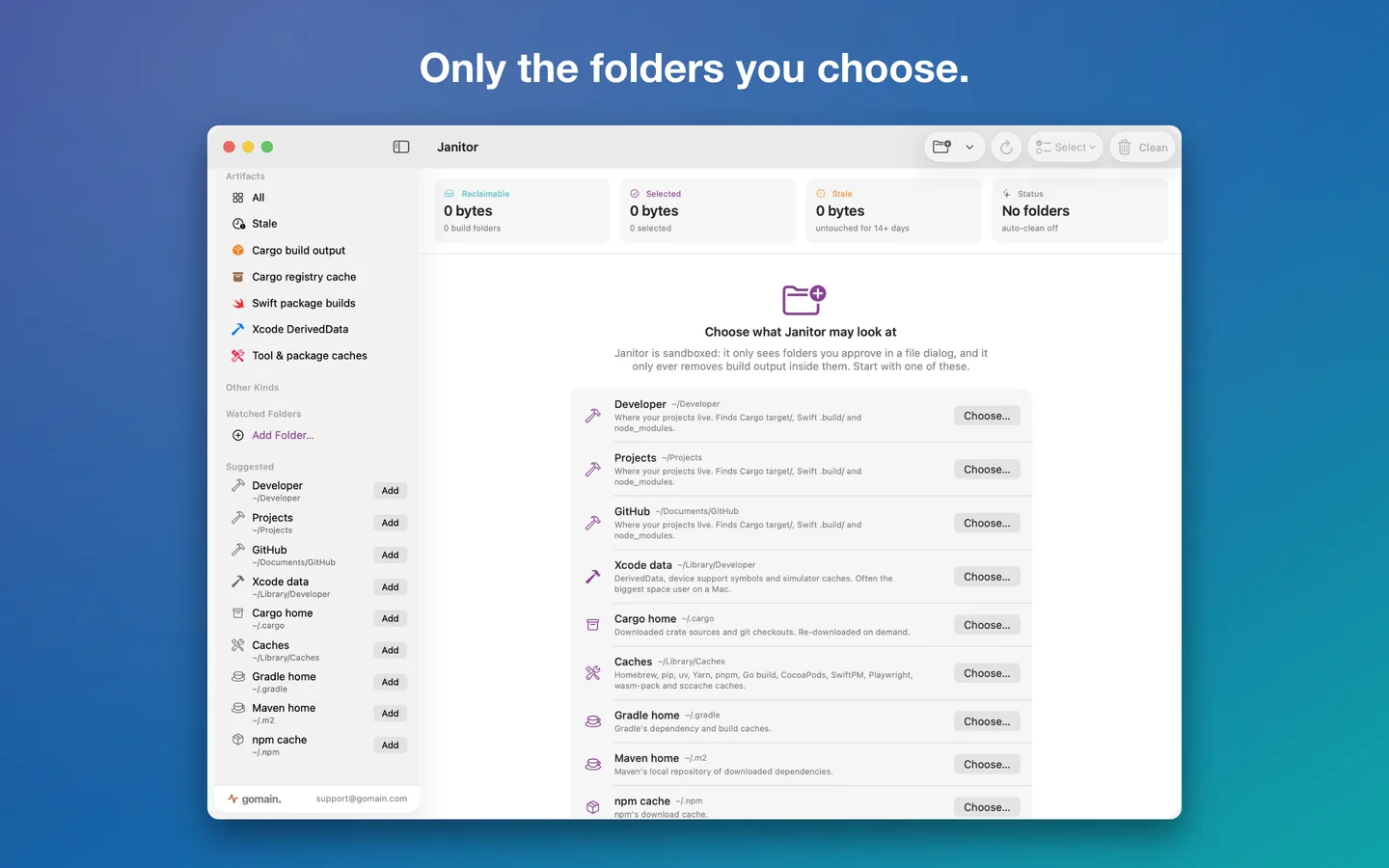
Approve the folders Janitor may look at. It only sees what you approve.
 JANITOR FOR MAC · BY GOMAIN
Janitor finds the build folders that quietly fill up a developer's Mac and clears them in a click: Rust target/, Xcode DerivedData, Swift .build/, Gradle, .NET, node_modules and the caches behind your package managers. Or let it sweep on a schedule.
 $9.99 once · no subscription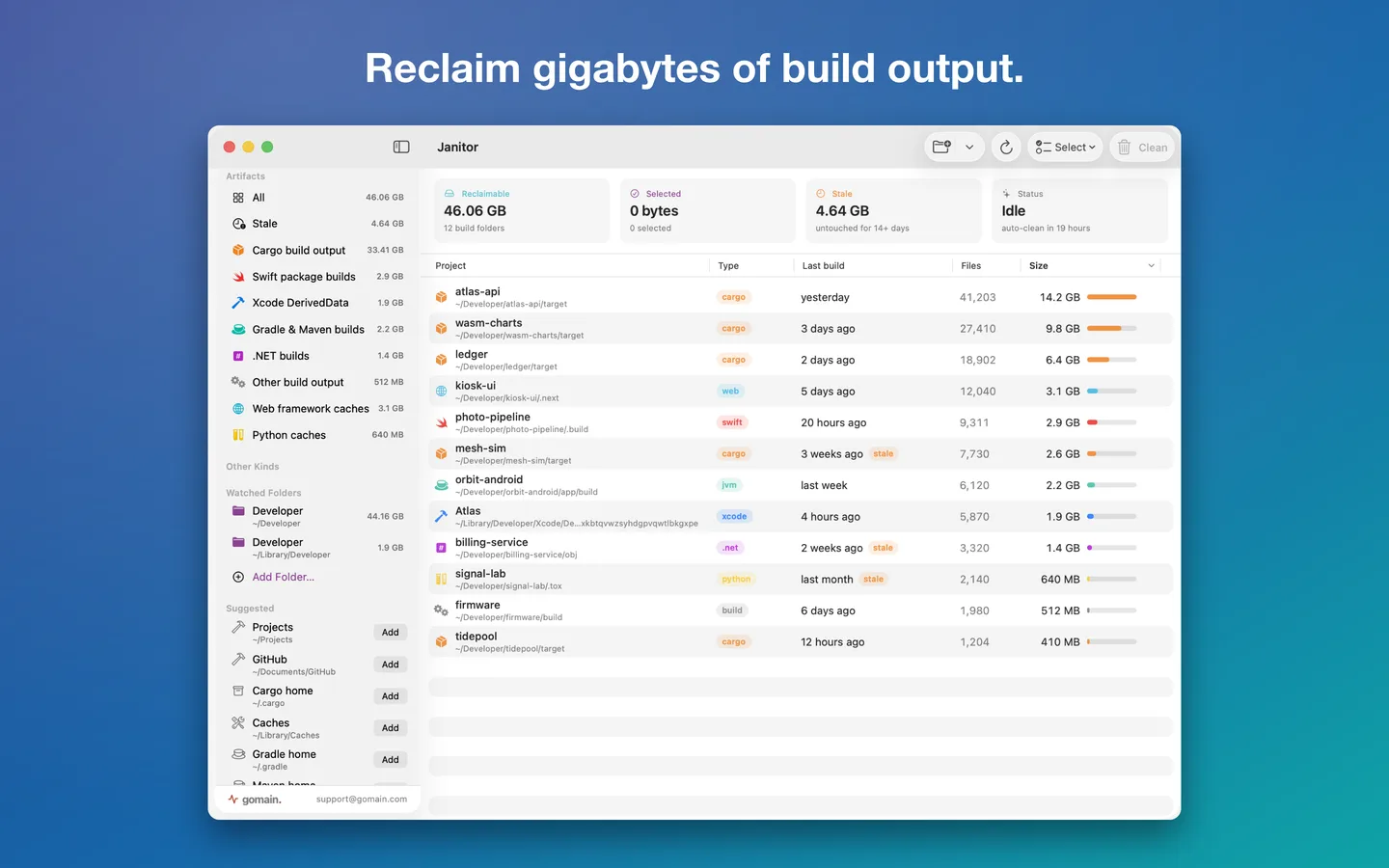
Your source stays.
The next build recreates the rest.
Every folder is identified by the project file beside it, a Cargo.toml next to target/ or a package.json next to node_modules, and checked again right before removal.
01 / WHAT IT CLEANS
Janitor only looks inside the folders you approve, and only removes build output it can tie to a project.
target/.build/bin/ and obj/node_modules02 / HOW IT WORKS
Or set it once and let Janitor keep things tidy.
Approve the folders Janitor may look at. It only sees what you approve.
See every build folder with its size, file count and the date of its last build.
Clean what you pick, or everything untouched for a while. Move to the Trash, or delete right away.
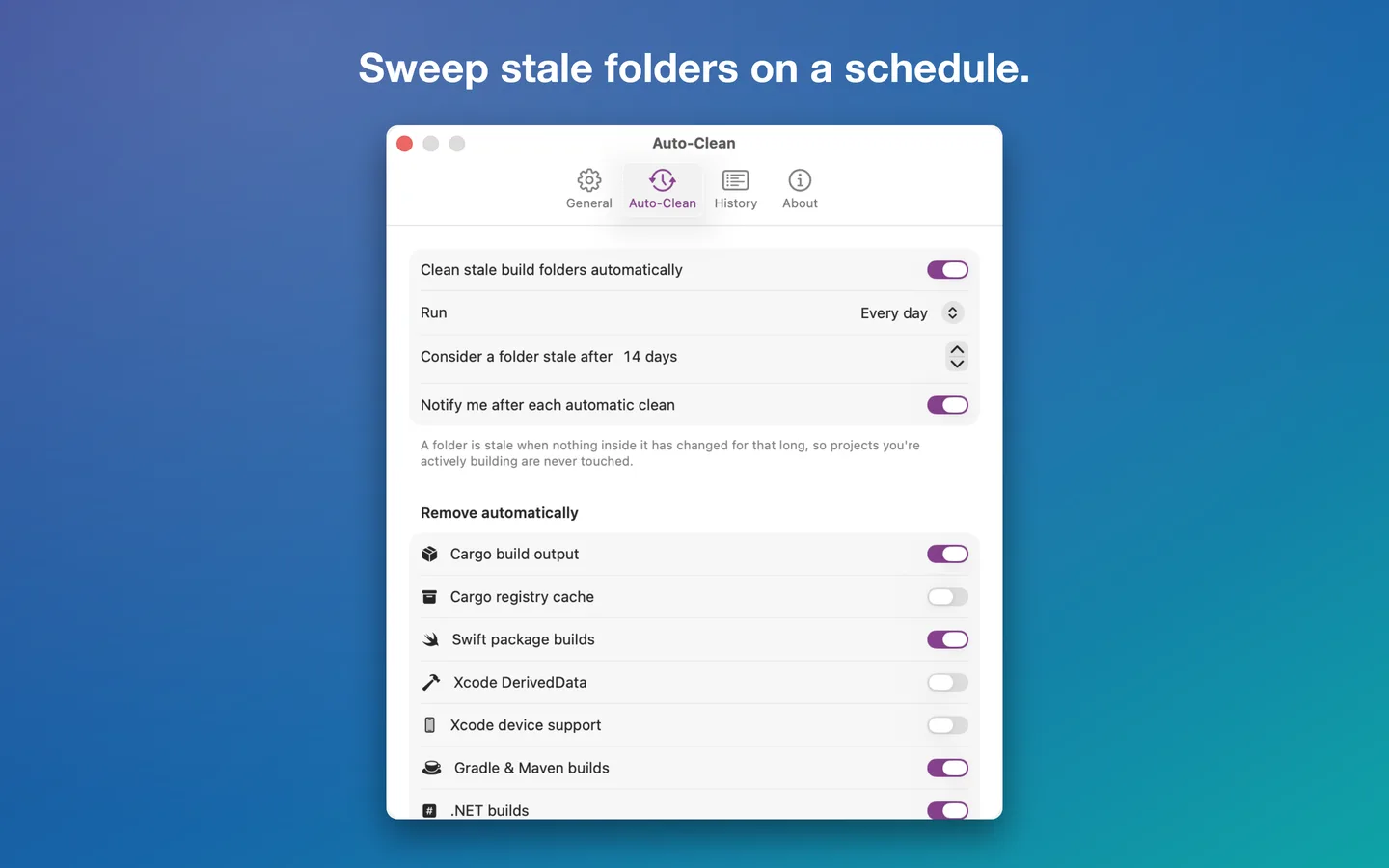
Every hour, day, week or month, only folders older than the age you set, with a notification when it's done. A menu bar item keeps the total reclaimable space a glance away.
The scanning engine is written in Rust, compiled to WebAssembly and runs inside the app in a sandbox that can only reach the folders you granted.
Yes. They are build output and downloaded dependencies, not source. The next build or install recreates them; the first build after a clean just takes longer. Janitor moves folders to the Trash by default, so you can put one back.
No. It only removes folders it recognizes as build output by the project file beside them, checks again right before removal, and only inside folders you approved.
No. Janitor is sandboxed: you approve folders in the standard macOS open panel and it remembers only those.
At the interval you choose while Janitor is open, and only on folders untouched for the number of days you set.
No. Janitor is a one-time purchase of $9.99 in the US (the App Store shows your local price). No account, no tracking, nothing leaves your Mac.
Any Mac with macOS 15 Sequoia or later.
JANITOR: BUILD CACHE CLEANER
On the Mac App Store for macOS 15 or later.
$9.99 once. No account, no tracking.